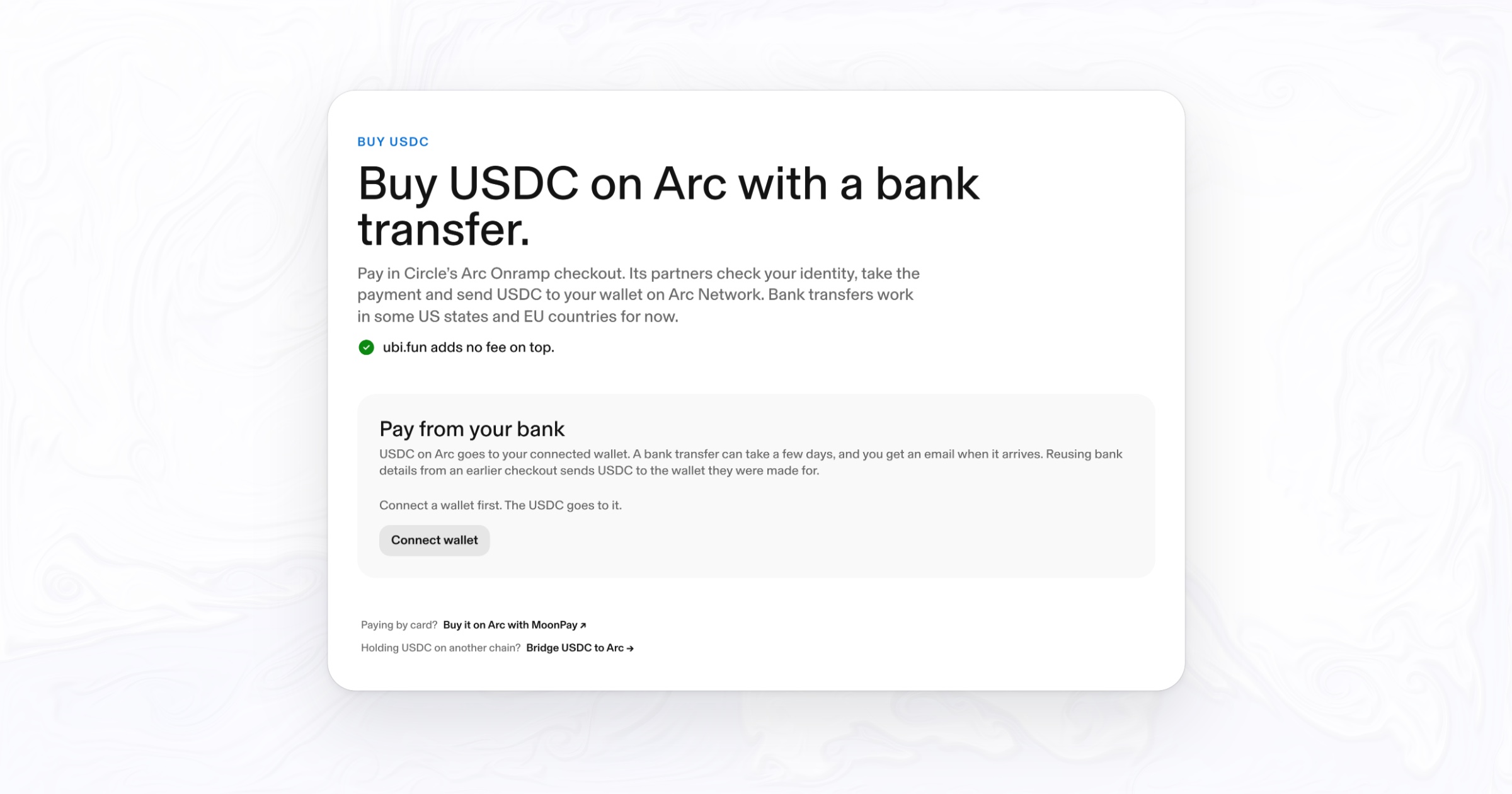
The Buy USDC page on ubi.fun opens Circle's Arc Onramp checkout for your wallet. Pay with a bank transfer, and USDC lands in your wallet on Arc Network. ubi.fun adds no fee.
Every transaction on Arc pays its gas in USDC, so USDC is the first thing a new wallet on Arc needs. Since November 11, ubi.fun has a way to get it straight from a bank account: the Buy USDC page, which opens Circle’s Arc Onramp checkout and sends the USDC to your own wallet on Arc.
How it works
- Connect your wallet. The USDC goes to the wallet you connect, so connect the one you want to use on Arc.
- Open Circle’s checkout. It opens inside the page. On iPhone and iPad it opens in its own window, as Circle advises.
- Verify and pay. Circle’s partners check your identity and take the bank transfer, inside Circle’s checkout.
- Receive USDC on Arc. The USDC arrives in your wallet on Arc. A bank transfer can take a few days.
ubi.fun adds no fee on top.
Who can use it
Arc’s documentation lists bank transfers to USDC on Arc as available in select US states and select EU countries. You need to pass the identity checks in Circle’s checkout, under its partners’ terms. Card payments are not offered in this checkout on ubi.fun; to pay by card, use MoonPay (below).
Safe wallets are not supported, as on the Bridge page.
What ubi.fun sees
To open the checkout, ubi.fun’s API sends Circle two things: your wallet address, which is where the USDC goes, and a random ID your browser keeps, which Circle files the checkout under. The ID is never your wallet address. Your identity and payment details stay inside Circle’s checkout, with Circle’s partners; ubi.fun never receives them. The privacy policy covers it in full.
One thing to know before you pay again: bank details from an earlier checkout send USDC to the wallet they were made for. If you switch wallets, start a new checkout rather than reusing old bank details.
Other ways to get USDC on Arc
- By card. MoonPay sends USDC on Arc straight to your wallet, by card, Apple Pay, Google Pay or bank transfer, from about $5. Payment methods depend on where you live.
- From an exchange. Binance, Bitget, Coinbase, Gate, Kraken, KuCoin and OKX let you withdraw USDC on Arc. Pick Arc as the network, send to your own wallet, and send a small test amount first.
- From another chain. The Bridge page moves USDC between Arc and Ethereum, Base, Arbitrum and 14 other chains with Circle’s CCTP, and EURC and cirBTC on some of those routes.
- Straight into a token. If you only want USDC on Arc to buy a ubi.fun token, you can skip the separate step: cross-chain buys pay with USDC on one of those 17 chains and buy on Arc from the token page.
The full list, with the steps for each, is in How to buy UBI.
Frequently asked questions
How do I buy USDC on Arc with a bank transfer?
Open the Buy USDC page on ubi.fun, connect the wallet you want the USDC in, and complete Circle’s Arc Onramp checkout. Circle’s partners check your identity and take the transfer, and the USDC arrives in your wallet on Arc.
Can I buy USDC on Arc with a card?
Yes, through MoonPay, which sends USDC on Arc to your wallet by card, Apple Pay or Google Pay, from about $5. The bank transfer checkout on ubi.fun does not take cards.
Where are bank transfers to USDC on Arc available?
In select US states and select EU countries, according to Arc’s documentation.
Does ubi.fun charge a fee to buy USDC?
No. ubi.fun adds no fee to the checkout.
How long does a bank transfer to USDC on Arc take?
A bank transfer can take a few days. The USDC goes to your wallet on Arc when it arrives.
Does ubi.fun hold my money or see my bank details?
No. The payment and the identity checks happen inside Circle’s checkout, with Circle’s partners. ubi.fun only sends Circle your wallet address and a random browser ID to open it.
Circle, USDC, EURC, CCTP and Arc Onramp are trademarks or products of Circle Internet Group, Inc. or its affiliates, named here only to describe how the feature works; this does not imply endorsement. MoonPay and the exchanges named belong to their owners. ubi.fun never holds user funds or keys. Nothing here is financial advice.
All stories